
💡 The Question That Matters More Than It Should
Table of Contents
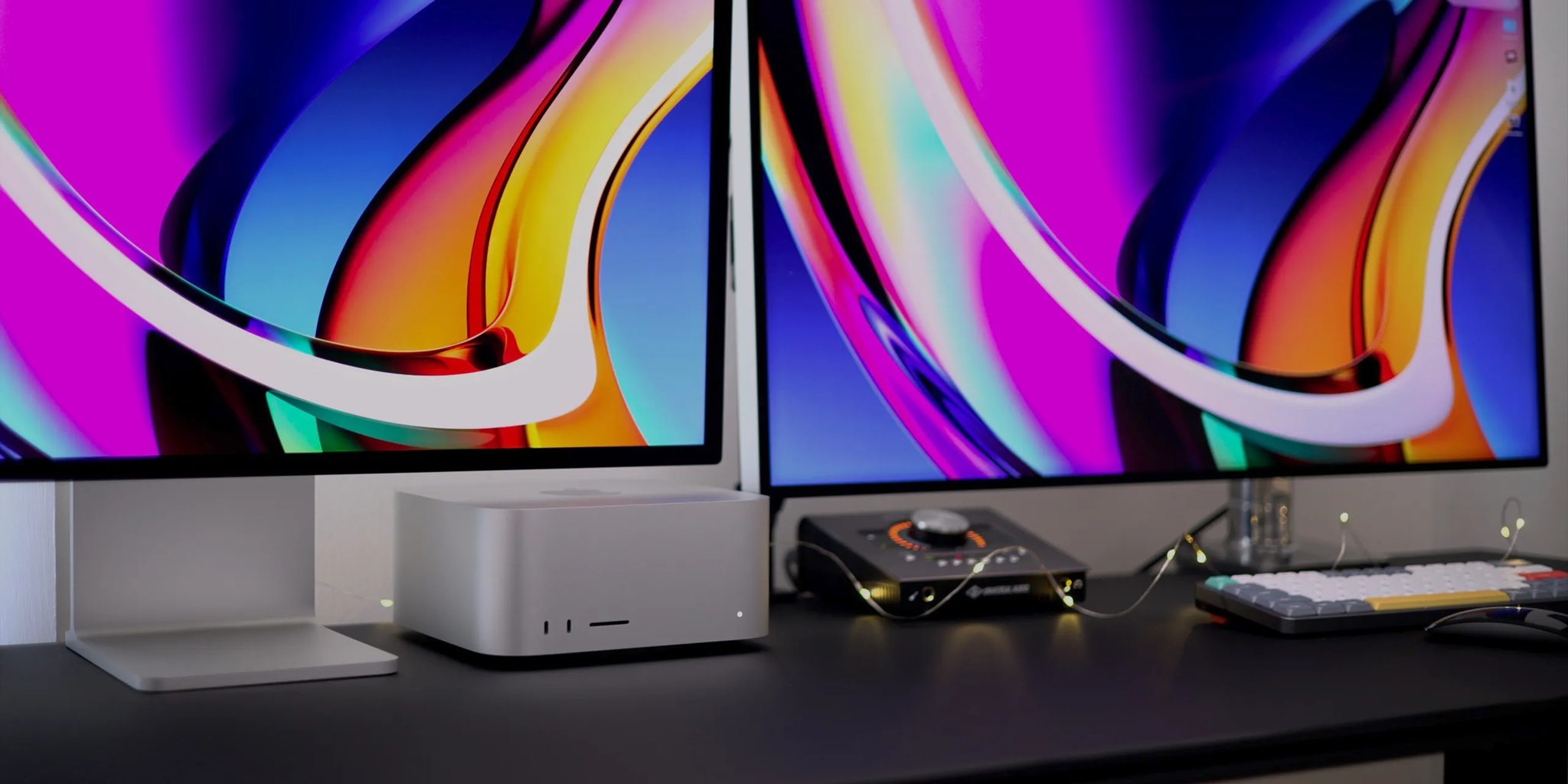
You need consistent, private, 24/7 access to a 70B parameter model. Your cloud bill keeps climbing. Someone in your Slack workspace says “just buy a Mac Studio.” Should you? This guide runs the actual math — hardware cost, electricity, cloud pricing, depreciation, and the performance numbers you need to make a real decision — not a theoretical one.
The buy-vs-rent calculation for AI compute in 2026 has become genuinely non-trivial. On one side: Apple’s Mac Studio lineup, with unified memory architectures that can hold 70B–671B parameter models in a single quiet box drawing under 200 watts. On the other: cloud GPU providers offering A100 80GB instances from $1.10/hr on RunPod and H100 instances from $1.99/hr on DigitalOcean. Both are legitimate options. Which one is cheaper depends entirely on your specific usage pattern — and that’s what this post calculates.
We’ll run the 12-month total cost of ownership analysis for three Mac Studio configurations against three cloud GPU tiers, accounting for hardware cost, electricity, depreciation, and hidden fees. No marketing spin. Just arithmetic.


The Question Everyone Is Asking
The trigger for this analysis is usually the same: a developer or researcher running a 70B quantized model (Llama 3.3, DeepSeek-R1, Qwen2.5) notices their monthly cloud GPU bill is $800–$2,400/month for around-the-clock access. They start wondering if a Mac Studio would pay for itself in under a year.
The honest answer requires understanding three things that most “Mac vs cloud” takes miss:
- Utilization rate — Cloud billing rewards low utilization (you only pay for what you use). Hardware purchases reward high utilization (the fixed cost amortizes over every hour of use). The breakeven point is defined by the crossover.
- What “24/7 access” actually means — A model running continuously for 720 hours/month is not the same as a model idling but available. Cloud serverless GPU (covered in our previous post) makes low-utilization access nearly free. Hardware purchases only win when utilization is genuinely high.
- The performance gap — Apple Silicon generates tokens significantly more slowly than enterprise NVIDIA GPUs on equivalent models. Buying slower hardware isn’t just a financial question — it’s a workflow quality question.
2026 Mac Studio Lineup: What You Can Buy
Apple last refreshed the Mac Studio in March 2025, adding M4 Max chips to the base tier while keeping the M3 Ultra for high-memory configurations. As of April 2026, the lineup is:
| Configuration | Chip | Unified Memory | Memory Bandwidth | Power Draw (AI load) | Starting Price |
|---|---|---|---|---|---|
| Mac Studio M4 Max (base) | M4 Max (32-core GPU) | 64GB | 546 GB/s | ~60–80W | $1,999 |
| Mac Studio M4 Max (128GB) | M4 Max (40-core GPU) | 128GB | 546 GB/s | ~70–90W | ~$3,999–$4,999 |
| Mac Studio M3 Ultra (192GB) | M3 Ultra (80-core GPU) | 192GB | 819 GB/s | ~150–215W | $6,999 |
| Mac Studio M3 Ultra (max config) | M3 Ultra (80-core GPU) | 256GB | 819 GB/s | ~150–215W | ~$9,499–$14,099 |
As of March 2026, Apple no longer sells the 512GB memory configuration that was previously available for the M3 Ultra Mac Studio. The maximum unified memory available on current Mac Studio is 256GB. This changes the calculus for anyone hoping to run 671B models (DeepSeek R1 full) on a single Mac Studio — that workload now requires clustering multiple units.
Step 1 — Hardware Cost and Amortization
For a fair 12-month comparison, we need to account for hardware depreciation — the computer doesn’t last one year, and we need to recognize only the portion of its value consumed in our analysis period. We’ll use a conservative 3-year straight-line depreciation for Apple hardware (based on typical professional resale values), which means we attribute 33% of the purchase price to year one.
| Configuration | Purchase Price | Year 1 Depreciation (33%) | Estimated 3-Year Resale | True Year 1 Cost |
|---|---|---|---|---|
| M4 Max / 64GB | $1,999 | $660 | ~$700–900 | $660–$900 |
| M4 Max / 128GB | $4,499 | $1,485 | ~$1,600–2,200 | $1,485–$1,900 |
| M3 Ultra / 192GB | $6,999 | $2,310 | ~$2,500–3,500 | $2,310–$2,900 |
Most buy-vs-rent comparisons make the mistake of comparing the full hardware purchase price against one year of cloud costs. This overstates the hardware cost dramatically. If you buy a $6,999 Mac Studio and sell it three years later for $3,000, your total net hardware cost was $3,999 — not $6,999. Year 1’s fair share of that cost is approximately $1,333–$2,310 depending on your depreciation method. Always compare net cost of ownership, not sticker price.
Step 2 — Electricity Cost Over 12 Months
Apple Silicon’s power efficiency is one of its most significant structural advantages. Under heavy LLM inference load, Mac Studio models draw 60–215W — dramatically less than NVIDIA GPU rigs. Using the U.S. national average electricity rate of $0.16/kWh (higher in California at $0.29/kWh, lower in Texas at $0.11/kWh):
| Device | Power Under AI Load | Annual kWh (24/7) | Annual Cost (US avg $0.16) | Annual Cost (CA $0.29) |
|---|---|---|---|---|
| Mac Studio M4 Max | ~75W average | 657 kWh | $105/year | $190/year |
| Mac Studio M3 Ultra | ~180W average | 1,577 kWh | $252/year | $457/year |
| RTX 4090 PC Rig (inference) | ~400W system total | 3,504 kWh | $561/year | $1,016/year |
| A100 80GB Server (data center) | ~400W GPU + infrastructure overhead | ~3,500+ kWh | Bundled into cloud pricing | Bundled into cloud pricing |
The electricity numbers for Apple Silicon are genuinely remarkable. A Mac Studio M4 Max running 24/7 for a full year costs approximately $105 in electricity at the US average rate. That’s less than most people’s monthly coffee budget. Even the higher-powered M3 Ultra at 180W costs just $252/year. These numbers fundamentally change the long-term TCO calculation for always-on inference workloads.
Step 3 — Cloud GPU Cost (12 Months, Various Usage Patterns)
Cloud GPU cost depends almost entirely on your usage pattern. We’ll calculate three scenarios: always-on 24/7 (full reserved instance), workday hours (10 hrs/day × 22 days/month = 220 hrs/month), and researcher pattern (active 4 hrs/day × 20 working days = 80 hrs/month).
| Cloud GPU | Hourly Rate | 24/7 Annual Cost | Workday Annual Cost | Researcher Annual Cost |
|---|---|---|---|---|
| A100 40GB (RunPod spot) | $0.79/hr | $6,920/yr | $2,082/yr | $758/yr |
| A100 80GB (RunPod) | $1.64/hr | $14,366/yr | $4,317/yr | $1,574/yr |
| H100 80GB (DigitalOcean committed) | $1.99/hr | $17,432/yr | $5,237/yr | $1,910/yr |
| H100 80GB (Lambda Labs) | $2.49/hr | $21,804/yr | $6,551/yr | $2,387/yr |
| A100 80GB (AWS on-demand) | $4.10/hr | $35,916/yr | $10,802/yr | $3,936/yr |
The Breakeven Table: Mac Studio vs Cloud GPU
Now we put it all together. The breakeven point is where the Mac Studio’s total first-year cost (depreciation + electricity) equals the cloud GPU’s annual cost at a given usage level. Below the breakeven, cloud is cheaper. Above it, the Mac Studio wins.
| Comparison | Mac Year 1 Total Cost | Cloud Annual Cost | Breakeven Usage | Verdict |
|---|---|---|---|---|
| M4 Max 64GB vs A100 40GB (RunPod) | $660 + $105 = $765 | $758/yr (researcher) → $6,920/yr (24/7) | ~970 hrs/yr (~2.7 hrs/day) | Mac wins if using 3+ hrs daily |
| M4 Max 128GB vs A100 80GB (RunPod) | $1,485 + $105 = $1,590 | $1,574/yr (researcher) → $14,366/yr (24/7) | ~970 hrs/yr (~2.7 hrs/day) | Mac wins if using 3+ hrs daily |
| M3 Ultra 192GB vs H100 (Lambda $2.49/hr) | $2,310 + $252 = $2,562 | $2,387/yr (researcher) → $21,804/yr (24/7) | ~1,025 hrs/yr (~2.8 hrs/day) | Mac wins if using 3+ hrs daily |
| M3 Ultra 192GB vs H100 (DigitalOcean $1.99/hr) | $2,310 + $252 = $2,562 | $1,910/yr (researcher) → $17,432/yr (24/7) | ~1,287 hrs/yr (~3.5 hrs/day) | Mac wins if using 3.5+ hrs daily |
| M4 Max 128GB vs A100 80GB (AWS $4.10/hr) | $1,485 + $105 = $1,590 | $3,936/yr (researcher) → $35,916/yr (24/7) | ~388 hrs/yr (~1 hr/day) | Mac almost always wins vs AWS pricing |
The 3-Hour Rule
For virtually every comparison in this table, the Mac Studio pays for itself if you use it more than approximately 3 hours per day. Below that threshold, cloud GPU — especially serverless GPU for bursty workloads — is the more economical choice. Above it, the Mac Studio starts generating savings that compound every month. For researchers working actively with models every day, the Mac Studio math is almost always favorable against anything but the very cheapest cloud providers.
Performance Reality Check: Tokens Per Second
The cost math favors the Mac Studio for high-utilization users — but the performance picture tells a more complicated story. Raw token generation speed matters for workflow quality: waiting 30 seconds for a long response is frustrating in a way that waiting 8 seconds is not.
| Hardware | Llama 3.3 70B Q4_K_M | Llama 3.3 13B FP16 | Llama 3.1 7B FP16 | Notes |
|---|---|---|---|---|
| Mac Studio M4 Max 128GB | ~15–20 tok/s | ~40–55 tok/s | ~80–110 tok/s | MLX framework; silent; 70–90W |
| Mac Studio M3 Ultra 192GB | ~25–35 tok/s | ~65–80 tok/s | ~120–160 tok/s | MLX / llama.cpp; DeepSeek R1 671B at ~17 tok/s |
| A100 80GB (cloud) | ~60–90 tok/s | ~150–200 tok/s | ~300–500 tok/s | vLLM; FP16 or FP8; batch serving |
| H100 80GB (cloud) | ~100–150 tok/s | ~250–400 tok/s | ~600–1,000 tok/s | vLLM FP8; best single-user latency |
| RTX 5090 32GB (local) | ~25–35 tok/s (quantized) | ~100–150 tok/s | ~300–500 tok/s | CUDA; 575W; GGUF/AWQ inference |
The performance gap is real and significant for interactive use cases. An H100 generates tokens roughly 4–6× faster than a Mac Studio M4 Max on an equivalent 70B model. However, “faster” has diminishing returns beyond a certain threshold. Most users report that 20–35 tokens/second is fast enough for comfortable interactive use — paragraphs appear in 3–5 seconds rather than sub-second, but it doesn’t feel agonizingly slow. The M3 Ultra hits this threshold for 70B models.
Where Apple Silicon Actually Wins
- Memory capacity per dollar — No consumer hardware offers 64GB, 128GB, or 192GB of unified memory at Mac Studio price points. The nearest NVIDIA alternative (A100 80GB) costs $10,000–$15,000 to buy outright.
- Total silence — The Mac Studio has no fan noise audible at typical working distances. NVIDIA GPU rigs under load can reach 50–60 dB — disruptive in quiet office or home environments.
- Power efficiency — At 60–215W versus 400–700W for equivalent-memory NVIDIA configurations, the Mac Studio produces dramatically less heat, requires no special electrical circuits, and reduces cooling costs to zero.
- Zero-friction setup — Homebrew, Ollama, MLX, and LM Studio install in minutes with no driver conflicts, no CUDA toolkit management, no kernel module troubleshooting. Time-to-first-token from unboxing is under 15 minutes.
- Data privacy — Nothing leaves your premises. For healthcare, legal, financial, and enterprise applications with data residency requirements or confidentiality obligations, on-premises hardware eliminates the cloud compliance complexity entirely.
- Thunderbolt 5 and RDMA clustering — macOS Tahoe 26.2 (late 2025) added RDMA over Thunderbolt 5, enabling multiple Mac Studios to be clustered into a shared memory pool. A 4-node Mac Studio cluster can run trillion-parameter models for under $40,000 total hardware cost.
Where Cloud GPU Actually Wins
- Raw token throughput — For batch inference, multi-user serving, or latency-critical production APIs, an H100 or A100 on vLLM delivers 3–8× higher throughput than any current Mac Studio configuration. If speed matters more than privacy, cloud wins.
- Training and fine-tuning — The CUDA/cuDNN/bitsandbytes ecosystem for fine-tuning with QLoRA, full LoRA, and FSDP is mature and well-documented. Apple’s MLX supports some fine-tuning, but the toolchain is significantly less developed. For any serious fine-tuning workload, NVIDIA cloud instances remain the right choice in 2026.
- Low utilization workloads — If you use the model less than 2–3 hours per day, cloud — especially serverless GPU — is cheaper. Paying $660–$2,310 in Year 1 depreciation for a machine that runs 1 hour per day doesn’t pencil out.
- Scaling to multi-user serving — A single Mac Studio serves one user at a time at comfortable speed. Cloud infrastructure scales horizontally to serve hundreds of concurrent requests. For production APIs with real user load, there is no Apple Silicon substitute.
- Access to latest models at FP16 — New model releases often come in FP16/BF16 format requiring 140GB+ for a 70B model. The M3 Ultra with 192GB handles this, but smaller Mac Studio configs need quantization. Cloud H100/H200 instances can serve cutting-edge models at full precision without compromise.
The Hybrid Strategy: Best of Both Worlds
The most cost-effective approach for most researchers and developers in 2026 is not a binary choice — it’s a deliberate split by workload type:
The Optimal Hybrid Architecture
Mac Studio (owned) handles: Daily interactive inference and development work with private/sensitive data, long-context document analysis, 24/7 always-available personal assistant, model evaluation and testing, any workload running 3+ hours daily.
Cloud GPU (rented) handles: Fine-tuning and training runs (use RunPod/Modal serverless — pay only when training), burst inference capacity when you need faster throughput, production API serving for external users, workloads requiring the latest FP16 precision models at scale.
This hybrid approach lets the Mac Studio’s efficiency handle your high-utilization baseline while cloud GPUs absorb the expensive peaks — without committing to reserved cloud capacity that idles overnight.
Bonus: The Mac Studio Cluster (2026’s Wild Card)
In late 2025, Apple added RDMA (Remote Direct Memory Access) support over Thunderbolt 5 in macOS Tahoe 26.2. This was a quiet but significant development: it enables multiple Mac Studios to pool their unified memory across Thunderbolt 5 connections using the open-source EXO Labs clustering framework.
A 4-node Mac Studio M4 Max cluster (4 × $4,499 = ~$18,000) creates a unified pool of approximately 512GB of shared memory, accessible at 546 GB/s per node, with total cluster power draw of 450–600W. This cluster can run Llama 3.1 405B and DeepSeek R1 671B locally, generating 25–32 tokens/second — usable for single-user interactive work and small team access.
By comparison, a 26-GPU H100 cloud setup delivering equivalent performance costs approximately $52/hr — making the Mac Studio cluster the only sub-$50,000 setup capable of running trillion-parameter models locally with usable performance. The trade-off: throughput is still 5–10× lower than a dedicated H100 cluster, and EXO Labs is not yet enterprise-grade software.
Who Should Buy vs Rent? A Decision Framework
| User Profile | Recommendation | Reasoning |
|---|---|---|
| Solo researcher — daily model use 4+ hrs | Buy Mac Studio M4 Max 128GB | Breaks even in < 6 months vs cloud; full privacy; silent |
| Developer needing 70B+ models constantly | Buy Mac Studio M3 Ultra 192GB | Only sub-$10K option for unquantized 70B LoRA inference locally |
| Startup — production inference API | Cloud (serverless or dedicated) | Need scalability, H100 throughput, and SLAs Mac can’t provide |
| ML engineer — fine-tuning focused | Cloud GPU (RunPod / Modal) | CUDA ecosystem dominates fine-tuning; MLX pipeline is immature |
| Healthcare / legal — data residency required | Buy Mac Studio (any config) | Data never leaves premises; compliance simplified; low power cost |
| Occasional user — < 2 hrs/day model use | Cloud serverless GPU | Low utilization means hardware purchase never breaks even |
| Team needing 405B+ model access | Mac Studio cluster or H100 cloud | 4-node Mac cluster ($18K) vs H100 cloud at $52/hr — buy wins at 350+ hrs/yr |
| Budget researcher — any amount of use | Mac Mini M4 Pro 64GB ($2,199) | Runs 70B Q4 at 11–12 tok/s; $40W; breaks even against A100 cloud in under 4 months |
Ready to Run the Math for Your Own Usage Pattern?
Use these benchmarks as your baseline and calculate your specific breakeven based on your daily hours of model use and your local electricity rate.
Frequently Asked Questions
Is the Mac Studio actually faster than an A100 for local LLM inference?
No — not in raw tokens per second. An A100 80GB on vLLM generates 60–90 tokens/second on Llama 3.3 70B, while a Mac Studio M3 Ultra generates approximately 25–35 tokens/second on the same model quantized to Q4. The Mac Studio’s advantage is not speed — it’s memory capacity per dollar, power efficiency, silence, and data privacy. The A100 is 2–4× faster; the Mac Studio costs 4–10× less to run continuously.
What models can each Mac Studio configuration actually run?
The M4 Max with 64GB can run models up to approximately 35B parameters at Q4 quantization, or 7B–13B models at FP16. The M4 Max with 128GB handles 70B models comfortably at Q4, and up to 34B at FP16. The M3 Ultra with 192GB runs 70B at FP16, 120B+ at Q4, and even DeepSeek R1 671B at very aggressive quantization (~17 tokens/second). As a rule of thumb: Apple Silicon can address ~75% of its unified memory for the GPU, so a 192GB machine has roughly 144GB usable for model weights.
Can I fine-tune models on a Mac Studio?
Apple’s MLX framework supports LoRA fine-tuning and some QLoRA-equivalent workflows. For small models (7B–13B) and limited dataset sizes, this works adequately. However, the broader fine-tuning ecosystem — bitsandbytes QLoRA, DeepSpeed, FSDP, Flash Attention — is built on CUDA and not natively available on Apple Silicon. For serious fine-tuning work, especially on 30B+ models with large datasets, renting NVIDIA cloud GPUs (RunPod, Lambda Labs) is significantly more capable and better-documented in 2026.
How does Apple Silicon handle very long context windows?
This is one of Apple Silicon’s genuine strengths. The unified memory architecture means there’s no PCIe transfer bottleneck when loading large KV caches. A 128K context on a 70B model requires approximately 39GB of KV cache — something that would exhaust an 80GB H100’s memory under concurrent load, but sits comfortably in a 192GB M3 Ultra’s unified pool. For long-document analysis, legal discovery, or code comprehension workloads with very long contexts, the M3 Ultra can be surprisingly competitive.
What about the Mac Mini M4 Pro as a budget alternative?
The Mac Mini M4 Pro with 64GB unified memory ($2,199) is one of the most compelling AI workstations available at any price point in 2026. It runs 70B Q4 models at 11–12 tokens/second, draws only 40W under load ($52/year in electricity), and sets up in 10 minutes with Ollama. Compared to renting an A100 80GB at $1.64/hr, the Mac Mini breaks even at approximately 1,340 hours of use per year — about 3.7 hours per day. For researchers who use models every working day, it pays for itself in under 6 months.
Should I wait for the M5 Ultra Mac Studio?
Apple is expected to refresh the Mac Studio with M5 Max and M5 Ultra chips around mid-2026. If your timeline allows waiting 3–6 months, the M5 generation will likely deliver 20–35% more memory bandwidth and improved Neural Engine performance. However, the current M3 Ultra’s 192GB and the M4 Max’s 128GB are already capable platforms for production inference work. If you have an active need now and the cost math works for your usage pattern, the current generation is not a wrong choice.
Tags: Mac Studio M4 Ultra M3 Ultra AI Inference, Buy vs Rent GPU 2026, Local LLM Hardware, Cloud GPU Breakeven Analysis, Apple Silicon LLM, A100 vs Mac Studio Cost, 70B Model Local Inference, MLX Framework, Researcher AI Workstation